 Blaez
BlaezDaily drawing habit
Every page records when it was made. Flipping a notebook becomes a visual timeline of how far you’ve come.

Draw a little every day. Look back on how far you’ve come.
On-device notebooks — no account, no live cloud sync. Optional iCloud Drive snapshots so a lost iPad is not a lost sketchbook. Built for Apple Pencil.
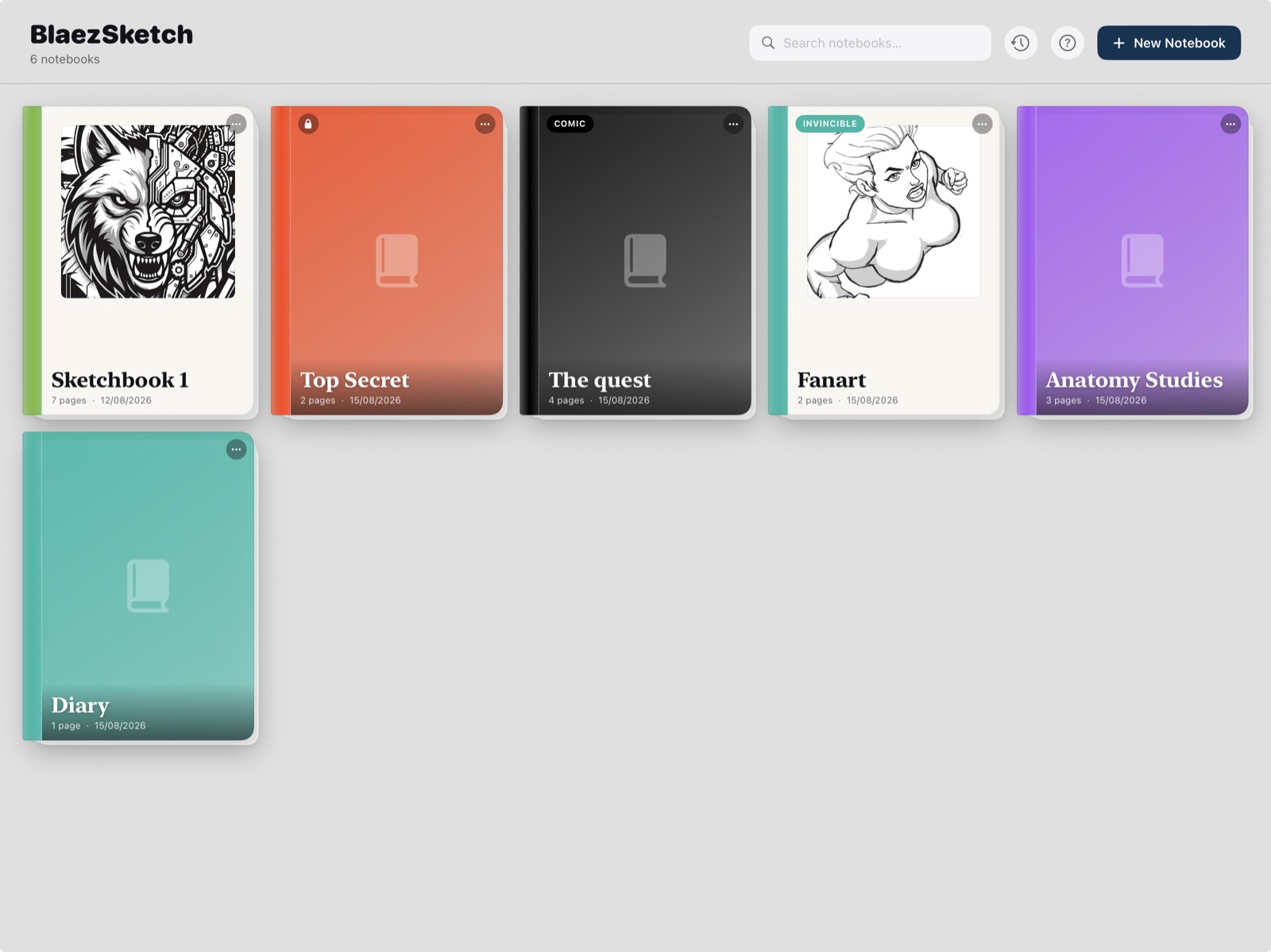
Daily drawing, private notebooks, thumbnails that hand off to Photoshop, and comic or figure work in the same book.
Every page records when it was made. Flipping a notebook becomes a visual timeline of how far you’ve come.
Life drawing, diaries, and concept work stay on this iPad — with optional passwords that re-authenticate every open.
Fast sketching that still exports layered PSD for Photoshop, Procreate, or Affinity.
Panel layouts, proportion guides, and a posable mannequin in the same notebook you sketch in.
Unlimited notebooks with a name, optional label, colour, and cover. Tap one and you land on the last page you were viewing — no project maze in between. Duplicate a page from the grid; the copy includes drawing, text, references, and guides.
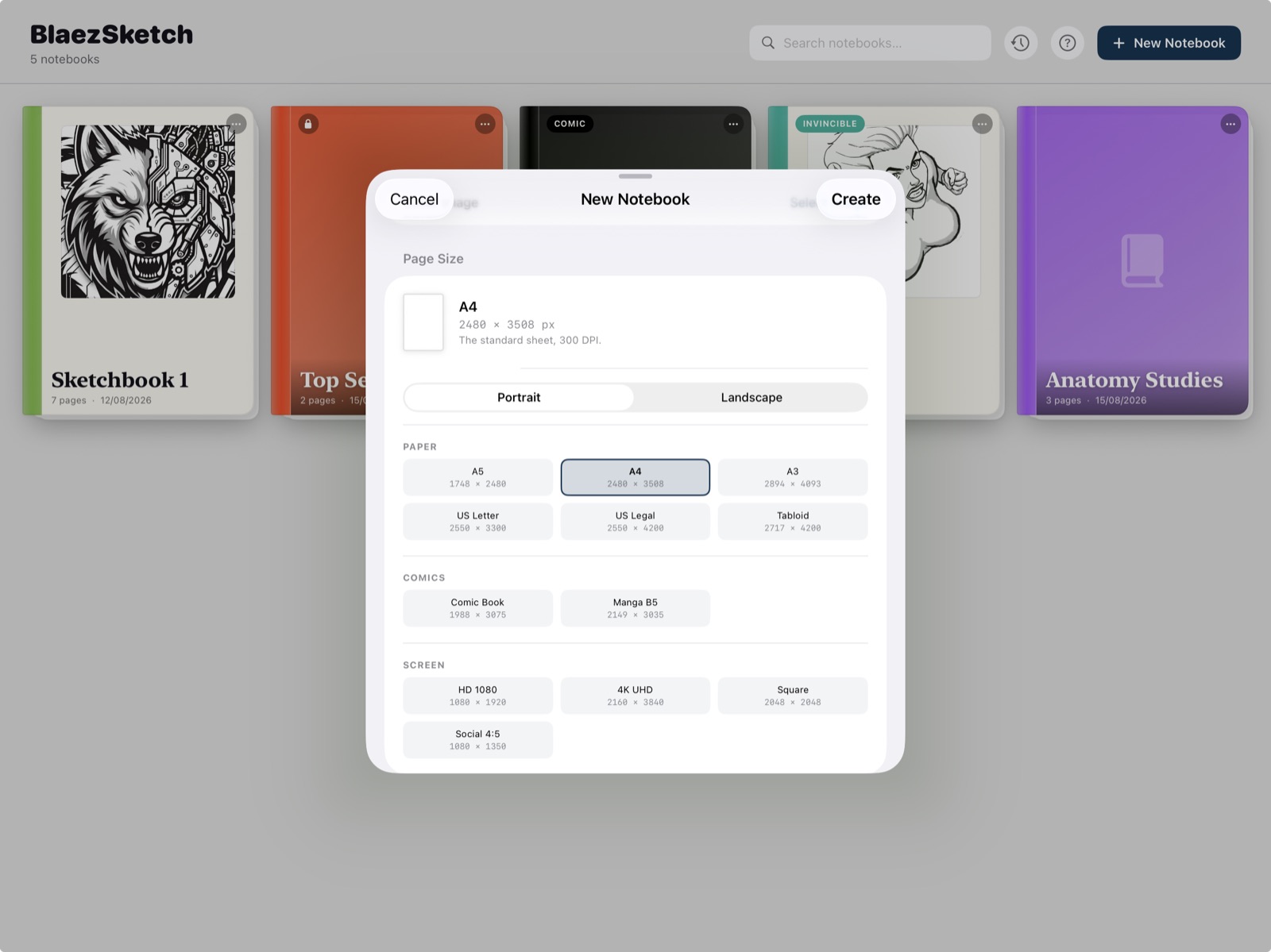
Size and orientation are chosen when you create a notebook and applied to every page it makes. Presets cover paper (A5–A3, US Letter, Legal, Tabloid), comics (US comic book, Manga B5), and screen (HD 1080, 4K UHD, square, social 4:5) — each portrait or landscape.
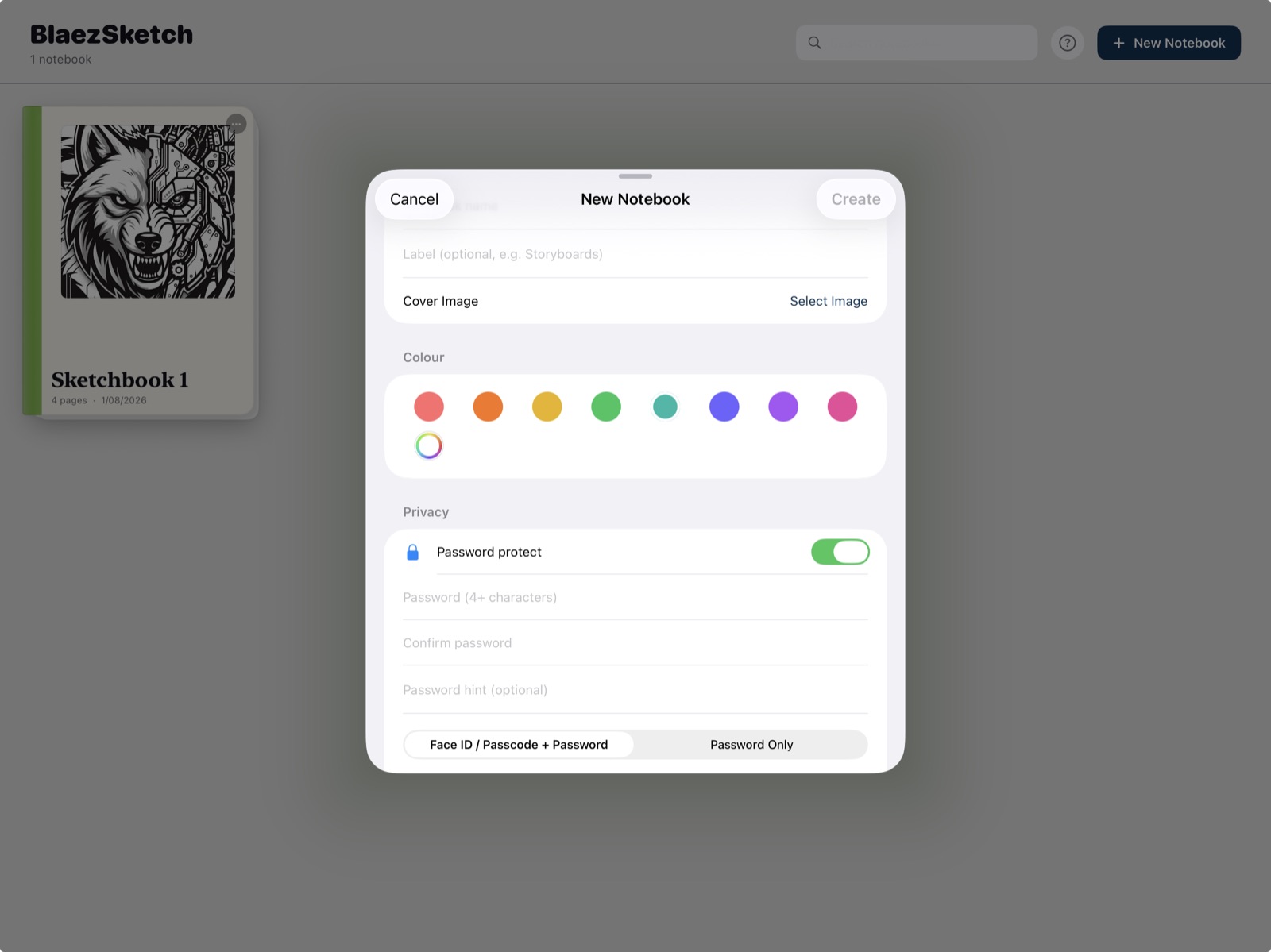
Lock any notebook with a password and optional hint. Choose Face ID / Touch ID / device passcode as recovery — or password only, with a clear warning that a lost password cannot be recovered. Every visit asks again; nothing stays unlocked for the session.
Three fixed layers — Background, Midtones, Line Art — with visibility, opacity, and blend modes. A categorized brush library with pressure, tilt, and per-brush stroke stabilization. Two-finger undo, three-finger redo. Pencil double-tap toggles the last brush and the last eraser.
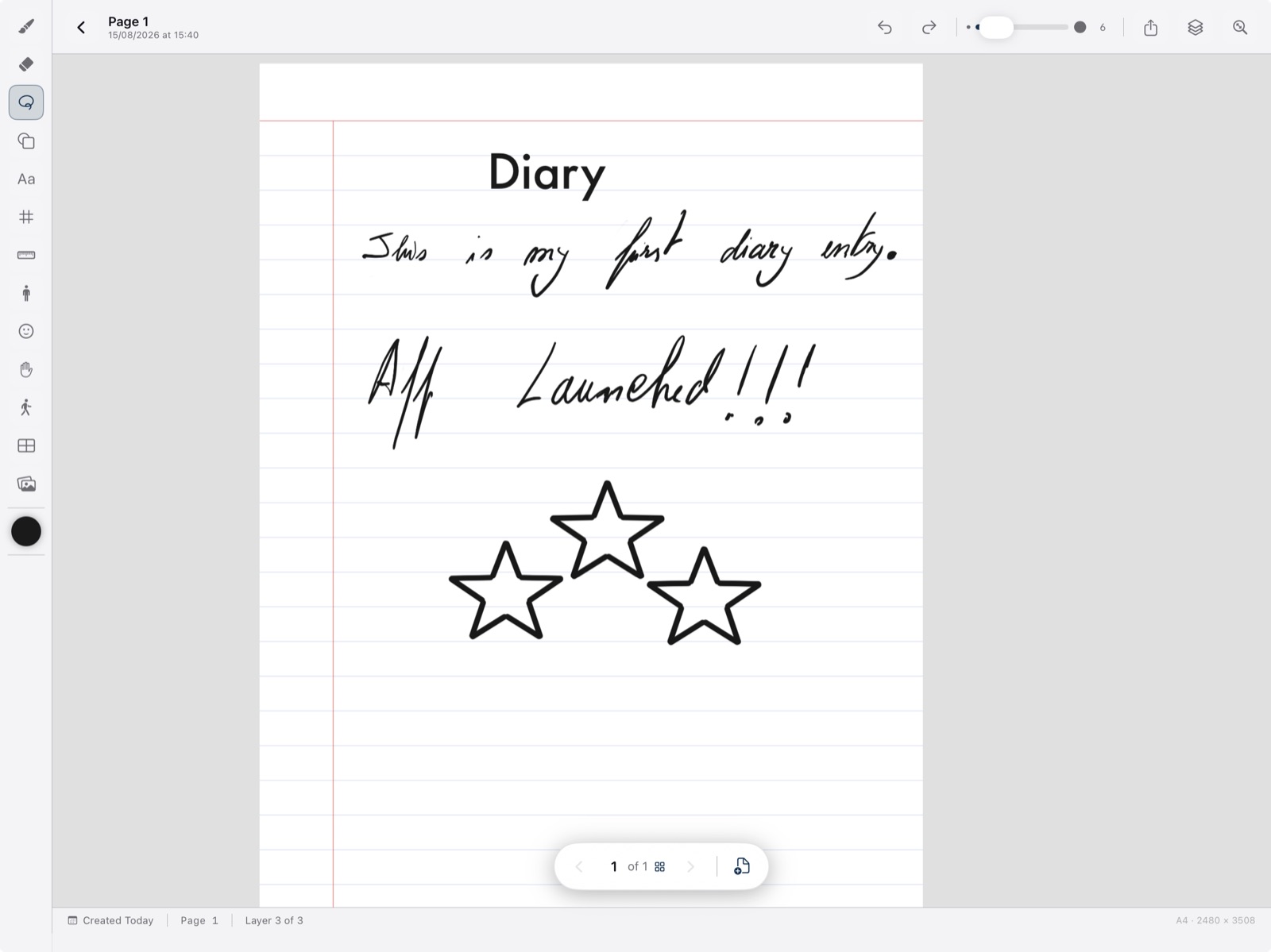
Ruled or blank, text boxes and Pencil strokes live together. Sketch through a label — strokes render above text — so notes never get in the way of the drawing.
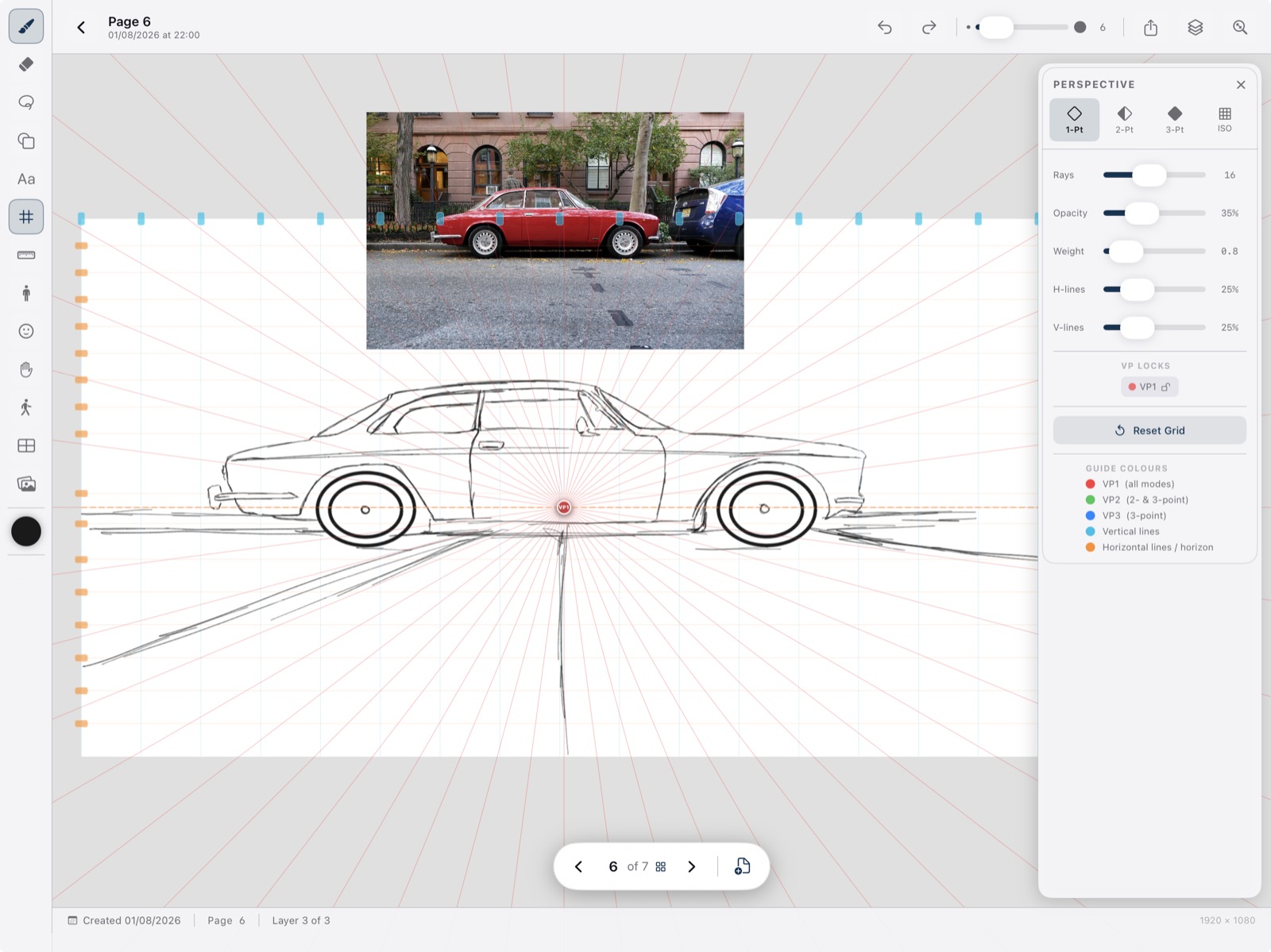
1-, 2-, and 3-point grids with draggable vanishing points. Set up a scene in seconds, then draw over the guides. Overlays never bake into the export.
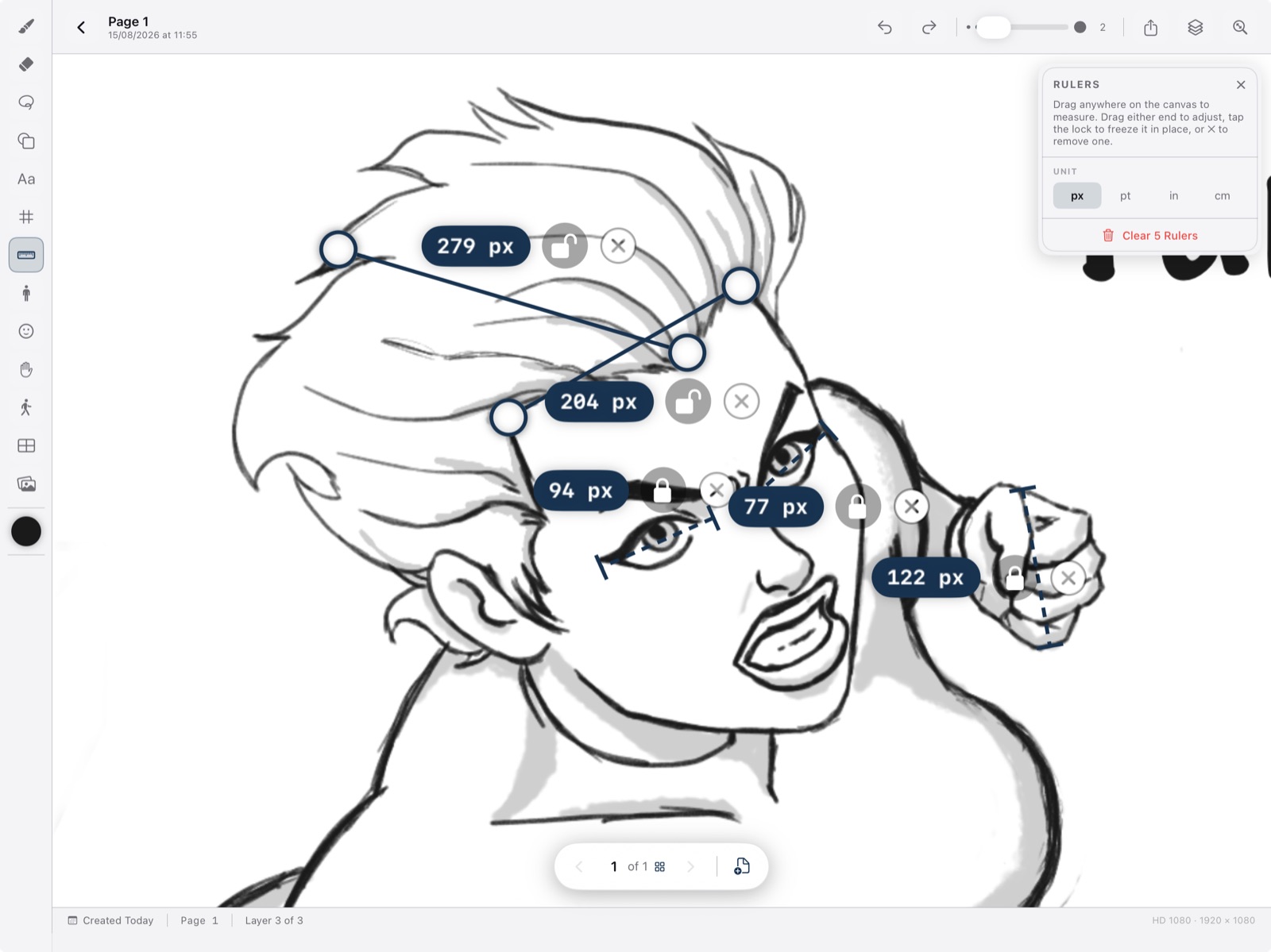
Place one or more measurement lines. Drag either end, lock a ruler so it isn’t bumped, and read pixels, points, inches, or centimetres.
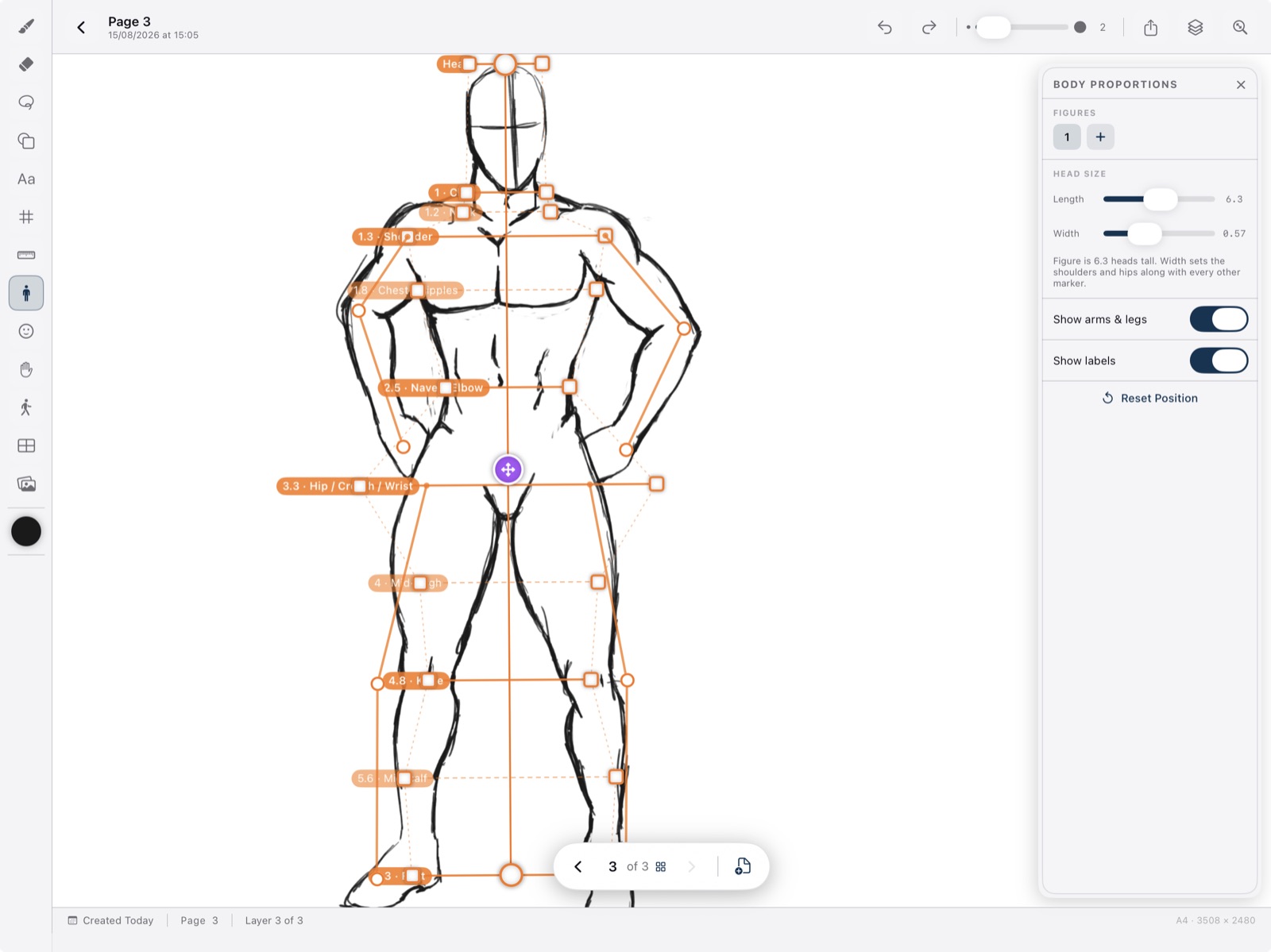
Body — head length and width drive eight-head (or any head-count) landmarks. Face — skull-top to chin with the eye line at halfway. Hand — wrist to fingertip with pose presets. Any number of each; duplicate to park a second figure beside the first.
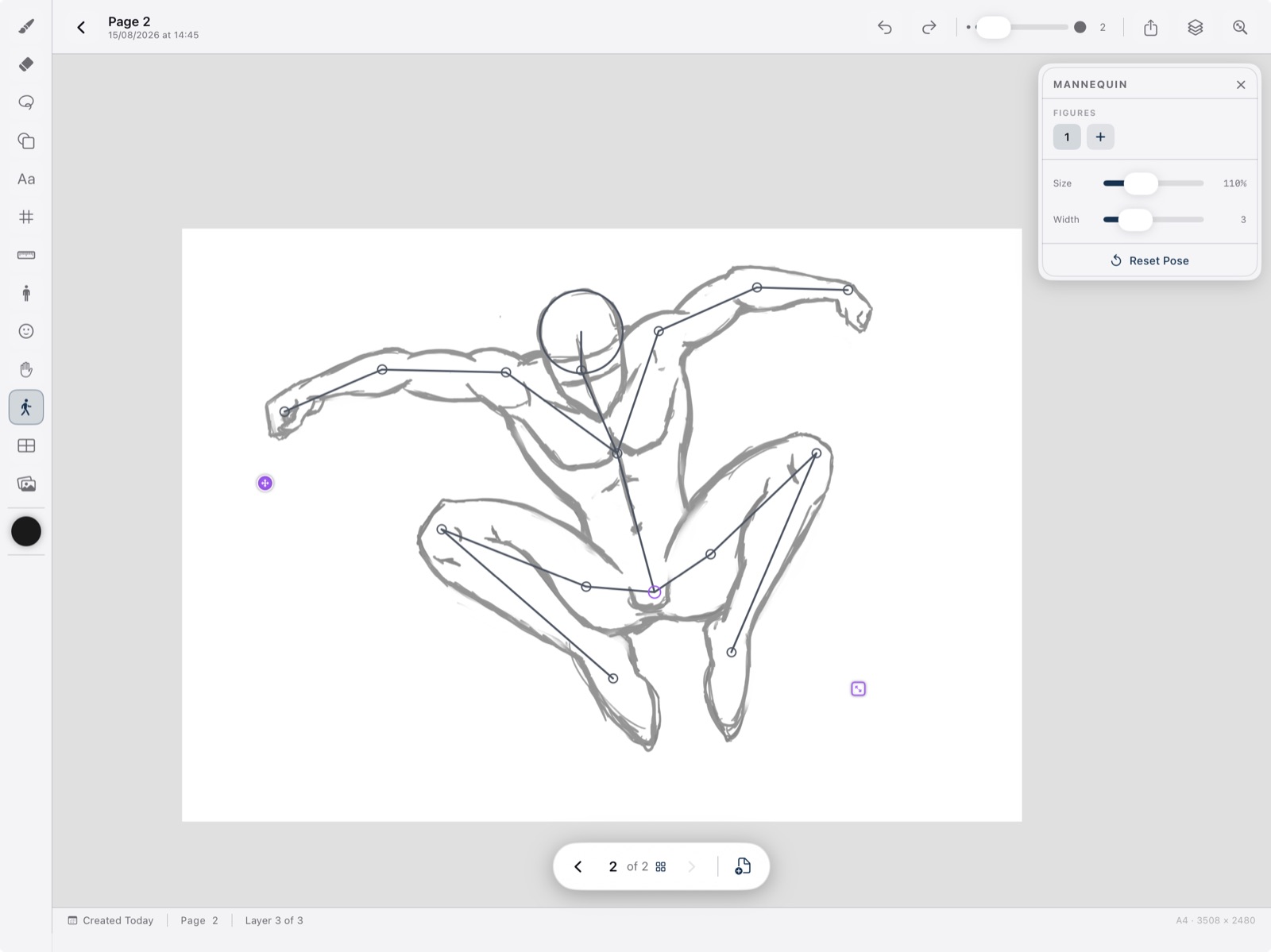
A 15-joint skeleton from pelvis to hands and feet. Drag a joint and the rest of the limb follows; bones stretch for foreshortening. Scale about the pelvis, set stroke width independently, drop multiple mannequins on a page.
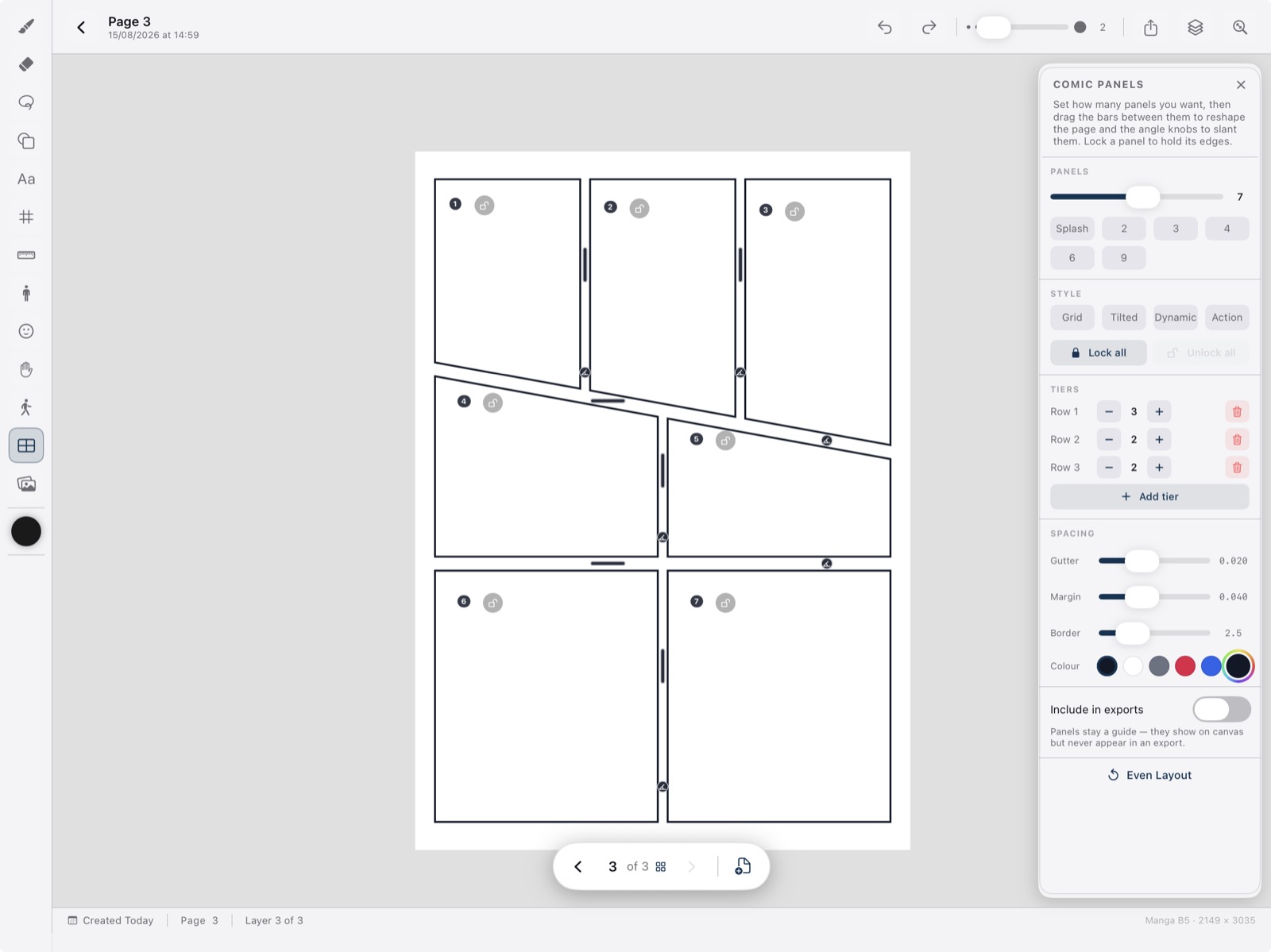
Rule the page the way a comic actually works. Drag bars between panels, slant gutters with angle knobs, lock edges, control margins and border weight. Layouts are a guide overlay — they are not baked into the drawing or the export.
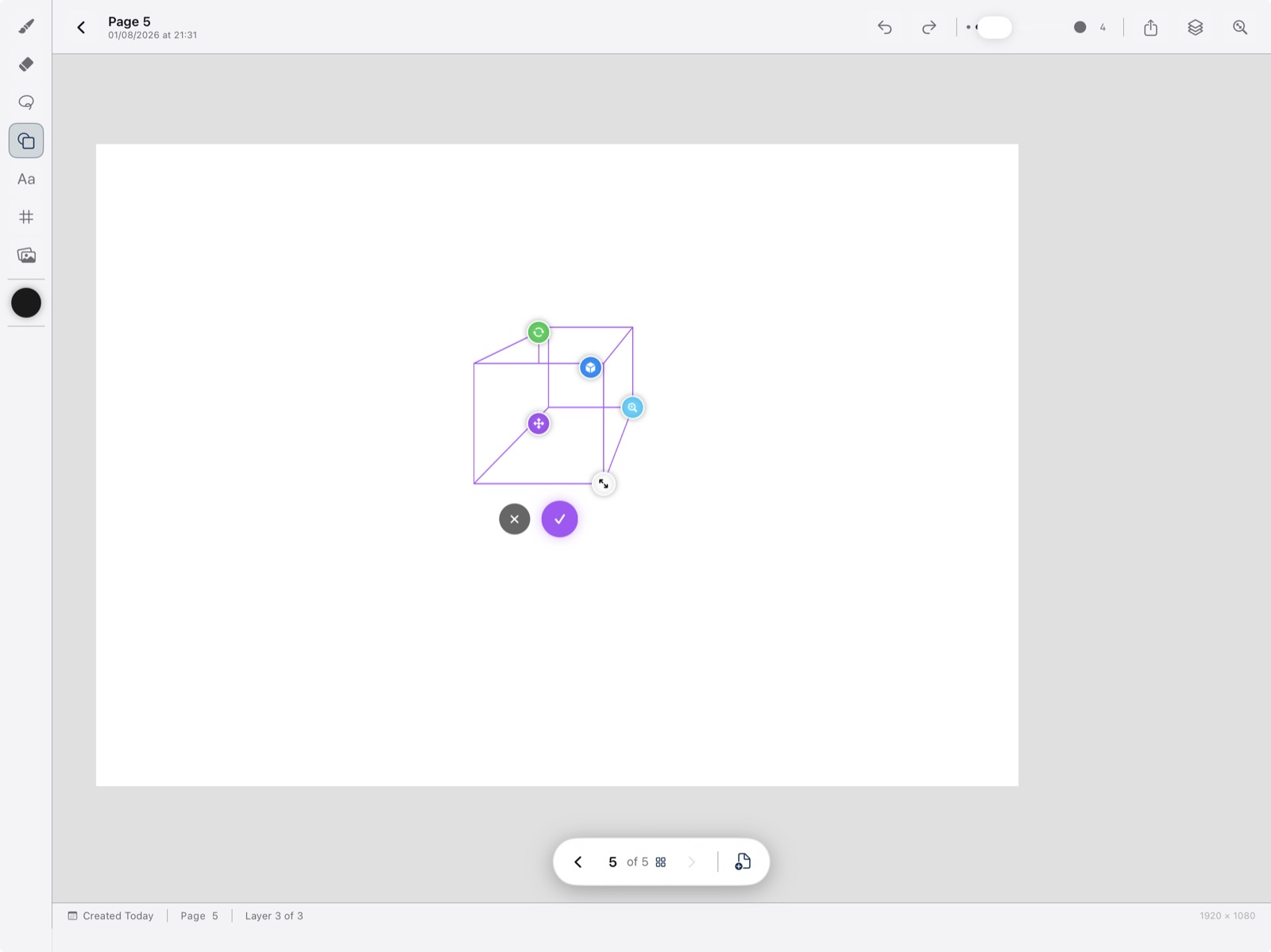
Drag out rectangles, ellipses, polygons, and more as clean vector-quality geometry on the active layer — a fast scaffold before freehand detail.
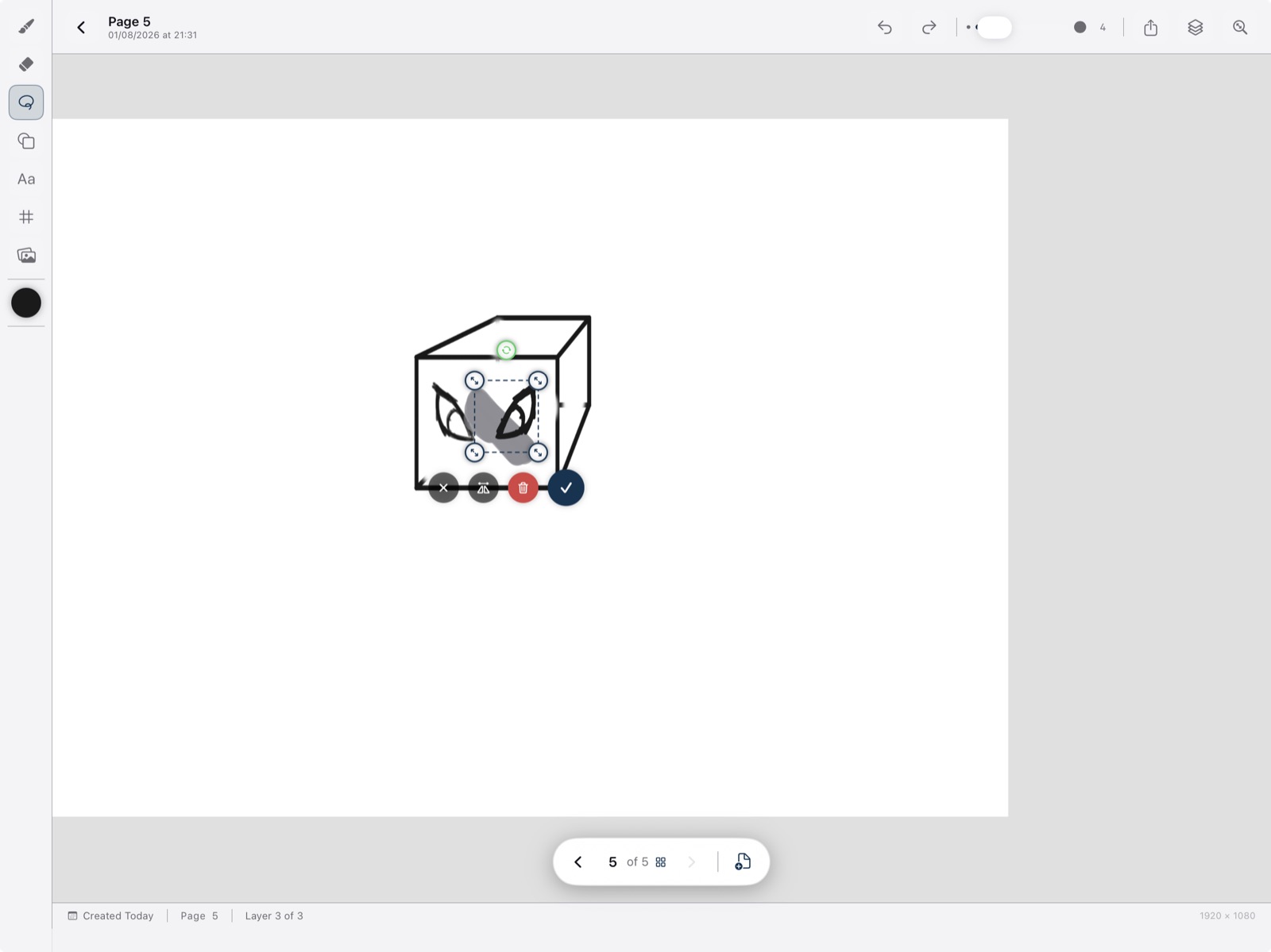
Lasso cuts cleanly at the edge so part of a stroke can lift while the rest stays. Move, uniformly scale, rotate, or flip with on-canvas handles. Duplicate keeps the original exactly where it was.
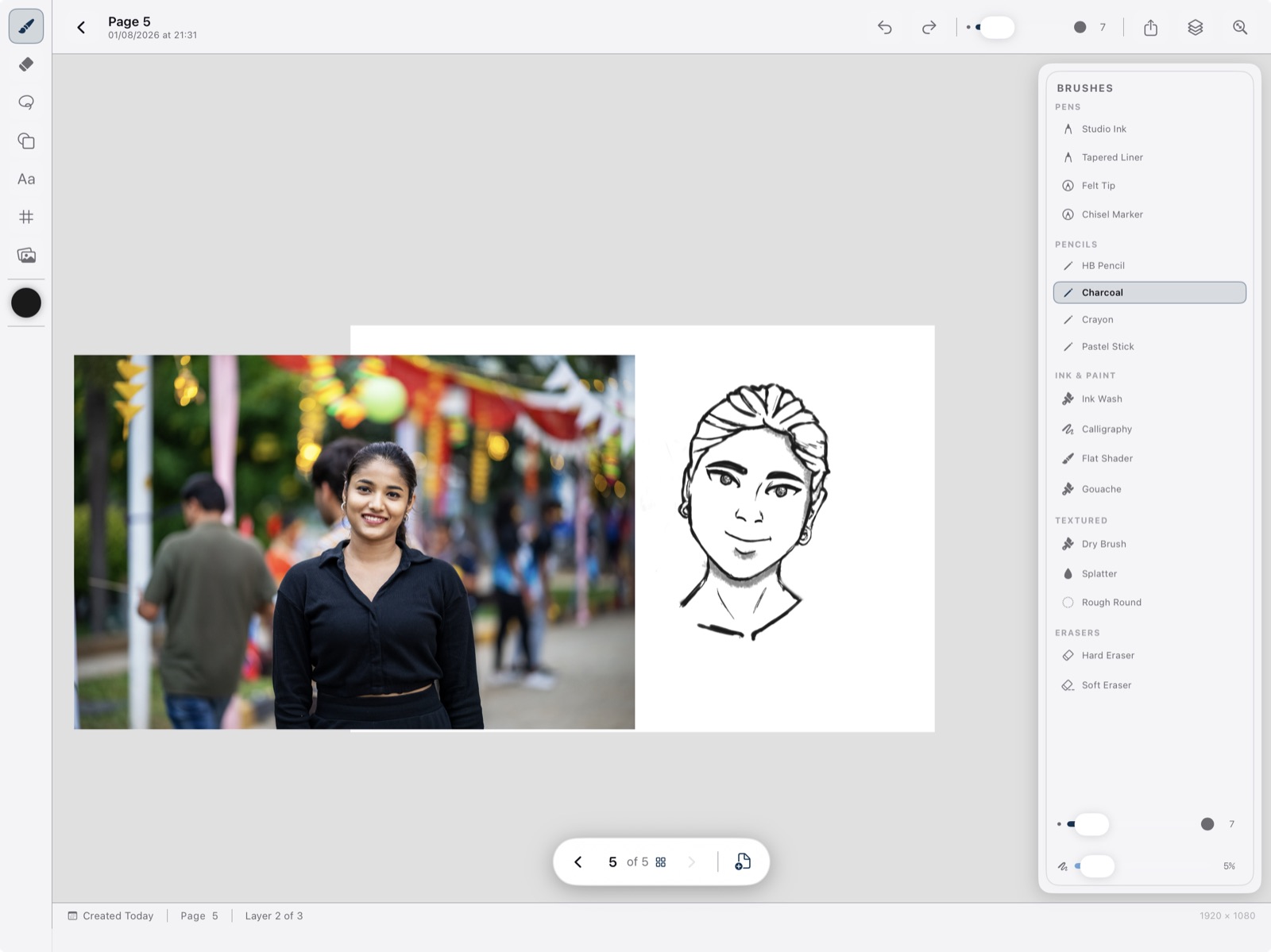
Import photos as draggable, resizable, rotatable references above the drawing layers — they never export with the page. Fade with opacity, or hide completely with the eye (hide is independent of fade). Lock position. Multiple references per page. Text boxes take custom font, size, colour, fill, and border.
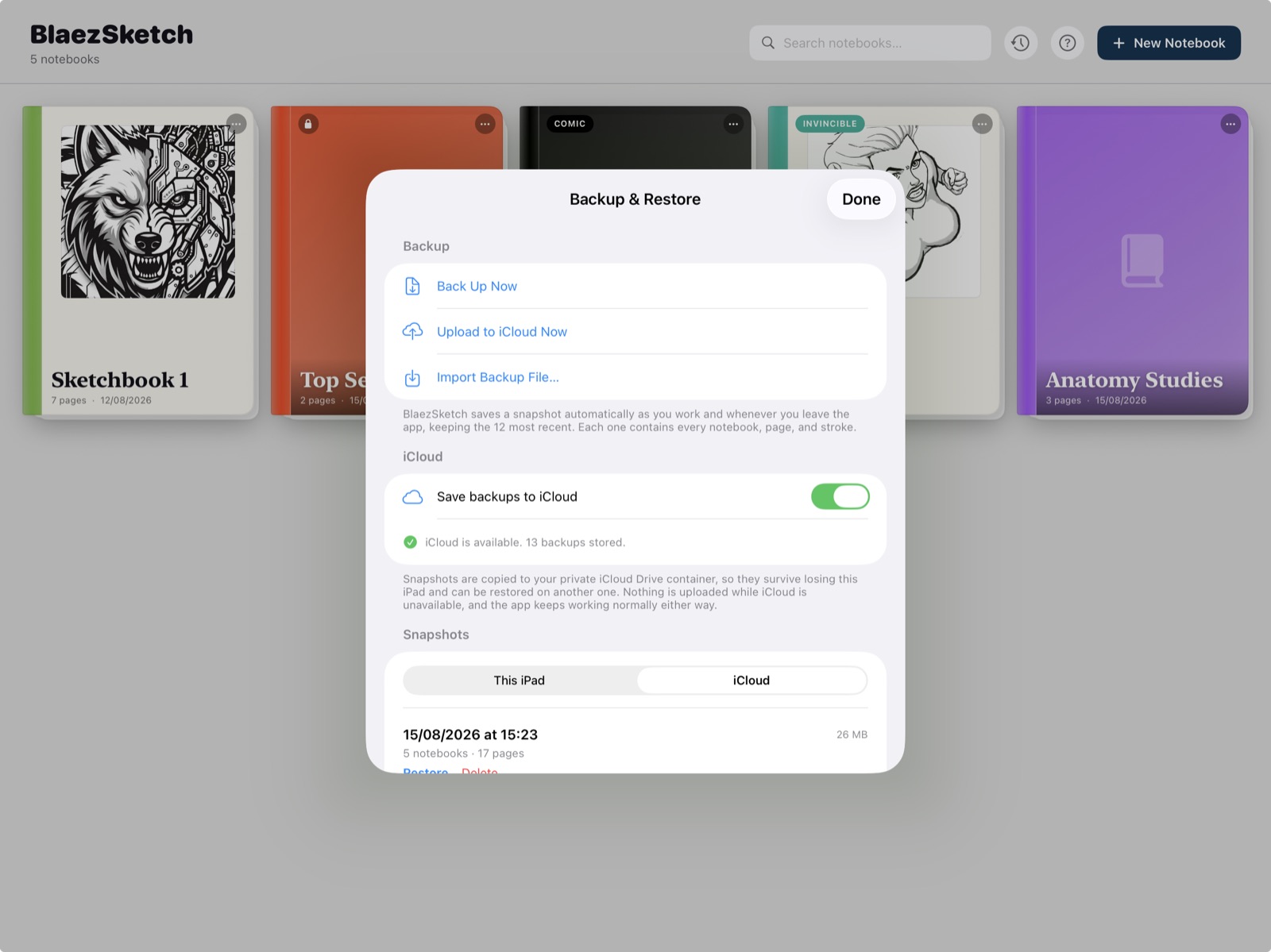
Each .blaezbackup holds every notebook, page, and stroke. Automatic snapshots as you work (at most every 15 minutes) and when you leave the app — the 12 most recent automatic copies are kept; manuals are never pruned. Restore takes a safety copy of the current state first.
Turn on Save backups to iCloud (on by default) to copy snapshots into the app’s private iCloud Drive container. That is snapshot mirroring — not live sync. Two devices never merge in-progress work. Signed out of iCloud, the app keeps working; backups stay on this iPad.
Per page, from the canvas share action. Guides, comic panels, mannequins, rulers, and reference images are overlays and are not part of the file.
Every visible layer exports as a named, correctly blended layer with its own opacity — ready for Photoshop, Procreate, Affinity, and similar apps.
A single-image export of the page as drawn — for sharing, posting, or a quick handoff.
No account, no login, no live cloud sync of working notebooks. Artwork leaves the app when you export or share — or, if you leave iCloud backup mirroring on, as snapshot files in your private iCloud Drive container. Crash reports and analytics may be used to keep the app healthy — anonymous, never including your artwork. Passwords are salted and hashed on-device. Read the BlaezSketch Privacy Policy and Terms.
BlaezSketch is a one-time purchase on the App Store — no subscription, no recurring billing, no IAP unlocks.
iPad only. Requires Apple Pencil for drawing. iPadOS 18.4+.
Pay once through Apple. Managed entirely in your App Store account.
You own everything you create. BlaezTek never sees your sketches.